Advanced guide · Local AI
Running a 33B LLM on integrated graphics: ~71 GB of VRAM from an AMD APU
Give an AMD APU's integrated GPU a huge slab of system RAM as VRAM, and it can hold models no affordable discrete card can — a capacity play, not a speed play.
This is the one box in my rack that surprises people, so it earns its own guide. On kratos
— a Minisforum-class mini-PC with an AMD Ryzen AI 9 HX PRO 370, a Radeon 890M
integrated GPU (RDNA 3.5, gfx1150), and 96 GB of RAM — I run a 33-billion-parameter
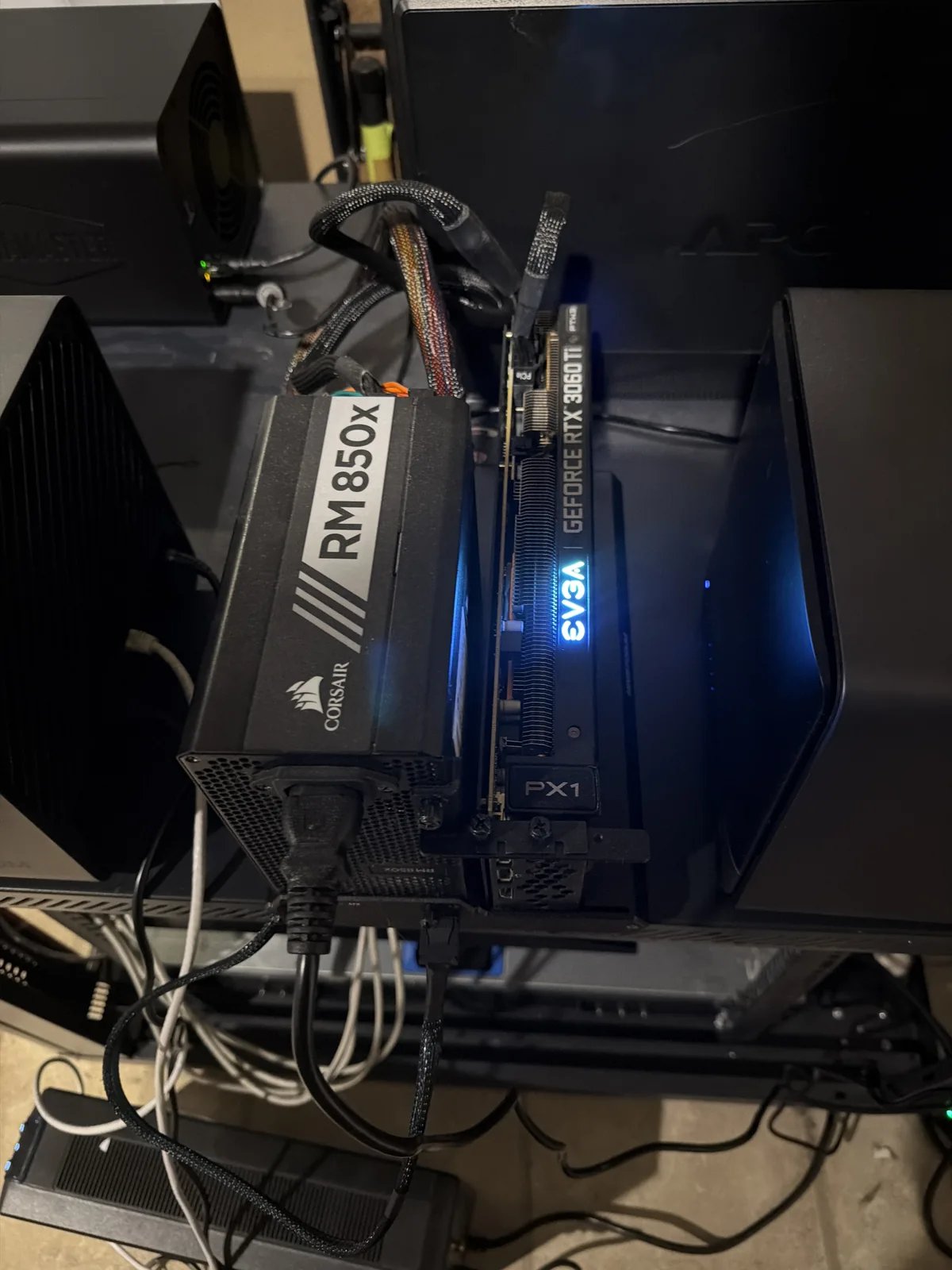
model fully on the integrated GPU. The same box has a discrete RTX 3060 Ti (8 GB), and that card
physically cannot hold this model.
| Metric | Value |
|---|---|
| Model | nemotron3:33b (a 27 GB quant) |
| Runs on | the integrated GPU, 100% |
| Throughput | ~24.6 tokens/sec |
| Context window | 128K |
| Usable VRAM (as Ollama sees it) | ~71 GB |
| On the discrete RTX 3060 Ti (8 GB) | won't fit |
How I measured this: Measured on kratos (Ryzen AI 9 HX 370 / Radeon 890M iGPU, 96 GB RAM) running Ollama's ROCm backend. Throughput and usable VRAM are as Ollama reports them; the model is a 27 GB quant of a 33B model.
The setup
The host is Proxmox VE. The iGPU (gfx1150) was sitting unused, bound to vfio-pci,
and the discrete 3060 Ti stays on vfio-pci for a separate GPU VM. The BIOS carves ~48 GB of
the 96 GB as iGPU VRAM — but nothing uses it until we free the iGPU.
Step 1 — Free the iGPU from vfio and give it to amdgpu
The iGPU is claimed by vfio-pci for passthrough. We want the host's amdgpu driver to own it instead:
- Remove the iGPU's PCI id (
1002:150e) from theids=list in/etc/modprobe.d/vfio.conf. - Remove the
blacklist amdgpuline from/etc/modprobe.d/blacklist.conf. - Run
update-initramfs -u. - Reboot.
After the reboot the iGPU is on amdgpu: you get /dev/dri/renderD128 +
/dev/kfd, ~48 GB VRAM, and rocminfo shows gfx1150. The kernel command
line is untouched, so this is low-risk and fully reversible — put the id back in vfio.conf to
return the iGPU to passthrough.
Step 2 — Pass the GPU into an unprivileged LXC (not a VM)
Bind the devices into the container that runs Ollama:
pct set <ctid> -dev0 /dev/dri/renderD128,gid=993 -dev1 /dev/kfd,gid=993Why an LXC beats a VM here: a container shares the host kernel, so this is near-bare-metal GPU — no VFIO/VM overhead — the LXC isn't RAM-capped (it can see the full host RAM, which matters for a 71 GB memory pool), and it sidesteps the whole "does ROCm inference even work inside a VM?" question, because the driver runs natively on the host. You get container isolation without passthrough uncertainty.
Step 3 — Give Ollama a ROCm backend (the subtle one)
A stock Ollama install ships only the CUDA + CPU backends. It has no ROCm backend, so on an AMD box it silently runs on CPU. You have to add it:
- Download the version-matched
ollama-linux-amd64-rocm.tar.zstfrom Ollama's GitHub releases — match your installed Ollama version exactly. - Extract it into the exact same directory as the other backends (see Gotcha #2).
- Add the arch override (Gotcha #3) and restart Ollama.
[Service]
Environment="HSA_OVERRIDE_GFX_VERSION=11.0.0"What you end up with
- Ollama reports ~71 GB usable VRAM on the integrated GPU (≈48 GB dedicated UMA + GTT from system RAM).
- A 27 GB, 33B model runs 100% on the GPU at ~24.6 tok/s with a 128K context — a model that will not fit on an 8 GB discrete card.
- Everything persists across reboots: passthrough lives in the container config,
amdgpuis bound via the initramfs, and the arch override is in the systemd drop-in.
The takeaways worth stealing
- APUs are a capacity play, not a speed play. If you want to run big models locally and don't need blistering tokens/sec, an APU's unified-memory pool can hold models no affordable discrete card can.
- Reboot to switch an APU iGPU between
vfio-pciandamdgpu— runtime rebinding doesn't take. - Ollama's ROCm backend has to sit in the exact backend directory, or it fails open to CPU with zero warning.
HSA_OVERRIDE_GFX_VERSIONis your friend on brand-new AMD silicon.- You don't need bare metal. An unprivileged LXC gives you native-kernel GPU performance while keeping your hypervisor and every other VM intact — and the whole thing reverts by moving one PCI id back into
vfio.conf.